JFIF image converter for Mac
MacUncle JFIF Converter is a utility tool developed by MacUncle for macOS devices. It is an image converter that was specifically created to help users convert JPEG File Interchange Format(JFIF) image files. Conversions can be done in batches and can be exported to various other formats.
Compared to other image editors like the fully-featured GIMP, MacUncle JFIF Converter is intended solely for the conversion of JFIF files, but it does mean that the program is fast and lightweight. It's available for a one-time purchase, with Standard and Pro options. There's a free trial offer, as well.
What is MacUncle JFIF Converter?
JPEG File Interchange Format (JFIF) is an image file format that is commonly integrated with digital graphics that uses JPEG compression. It was designed to include minimal amounts of data and be utilized in various platforms and applications. Despite the benefits that it brings, it's a file extension that can only be recognized and opened by a limited number of programs. This is where MacUncle JFIF Converter comes into play.
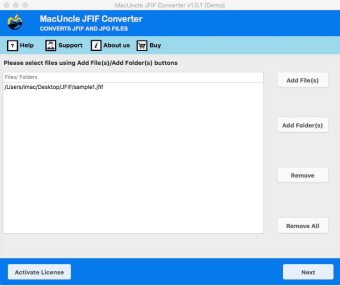
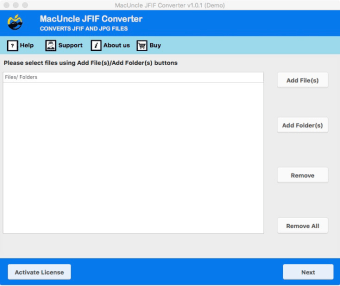
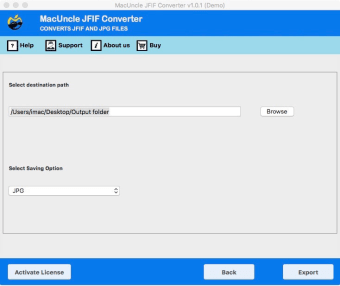
MacUncle JFIF Converter was specifically designed to handle JFIF files. It can be used to convert JFIF to other image formats, including JPG, PNG, and BMP. In addition, you can also use it for converting to document files, such as PDF, DOC, or HTML. It supports batch conversion and there is no limit to files sizes or the number of files that you can add.
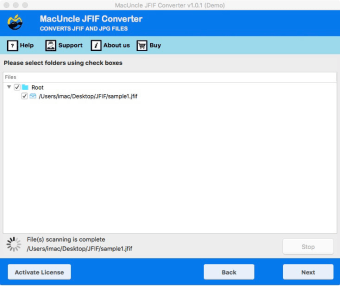
Conversions in JFIF Converter are done rather quickly. Once complete, the tool will provide you with a log report that contains various details during the conversion process and to ensure that it was done successfully. It will also open the folder that contains your file afterward so you can check it right away.
Fast and lightweight
Overall, MacUncle JFIF Converter is a tool that was made for a specific purpose, and it does it really well. It's simple and straightforward to use, supports batch conversions, and can convert to various image and document formats. If you're a Mac user looking for a good and reliable JFIF converter, this one is recommended.